API Rate Limiting: What AI Code Forgets to Add
API rate limiting caps how many requests a client can send. Why AI-built apps skip it, which algorithm to pick, and how to add it in code.

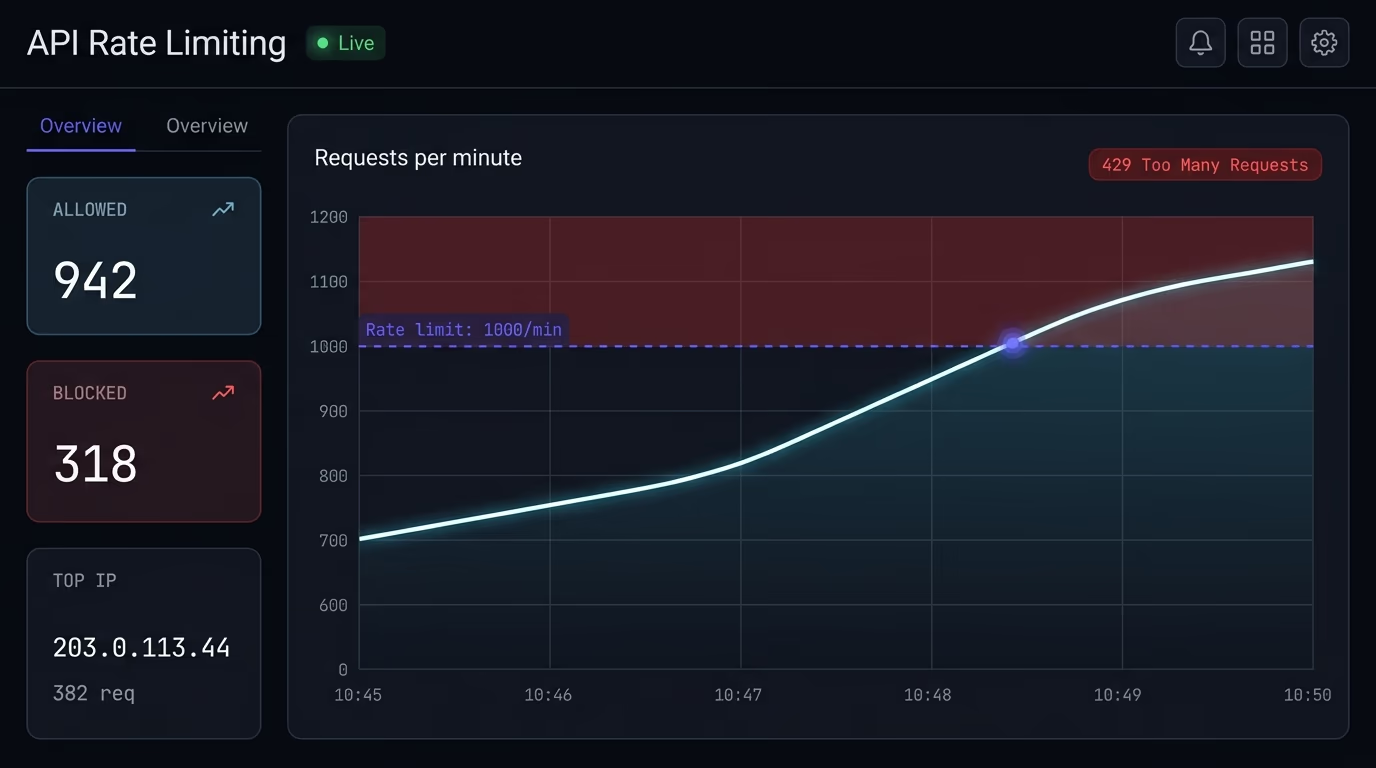
API rate limiting is a cap on how many requests a single client can send to your API in a set window of time. When a client goes over the limit, the server rejects the extra requests with an HTTP 429 status instead of processing them. It’s what stops one user, bot, or script from overwhelming your server, running up your bill, or brute-forcing a login. Most apps built with AI-generated code ship without it, which is exactly why it’s worth adding before you launch.
If you built your backend by prompting Cursor, Lovable, Bolt, or v0, your API endpoints almost certainly accept unlimited requests right now. The code works when you test it by hand, so the gap stays invisible until a scraper, a stuffed login form, or a runaway script finds it. This article covers what rate limiting does, why AI code leaves it out, which algorithm to pick, where to enforce it, and how to add it with real code you can paste in today.
What is API rate limiting?
API rate limiting is the practice of counting how many requests each client makes and blocking the ones that exceed a threshold. The server tracks requests per client over a window, say 100 requests per minute, and once a client passes that count, every further request in the window gets rejected until the window resets.
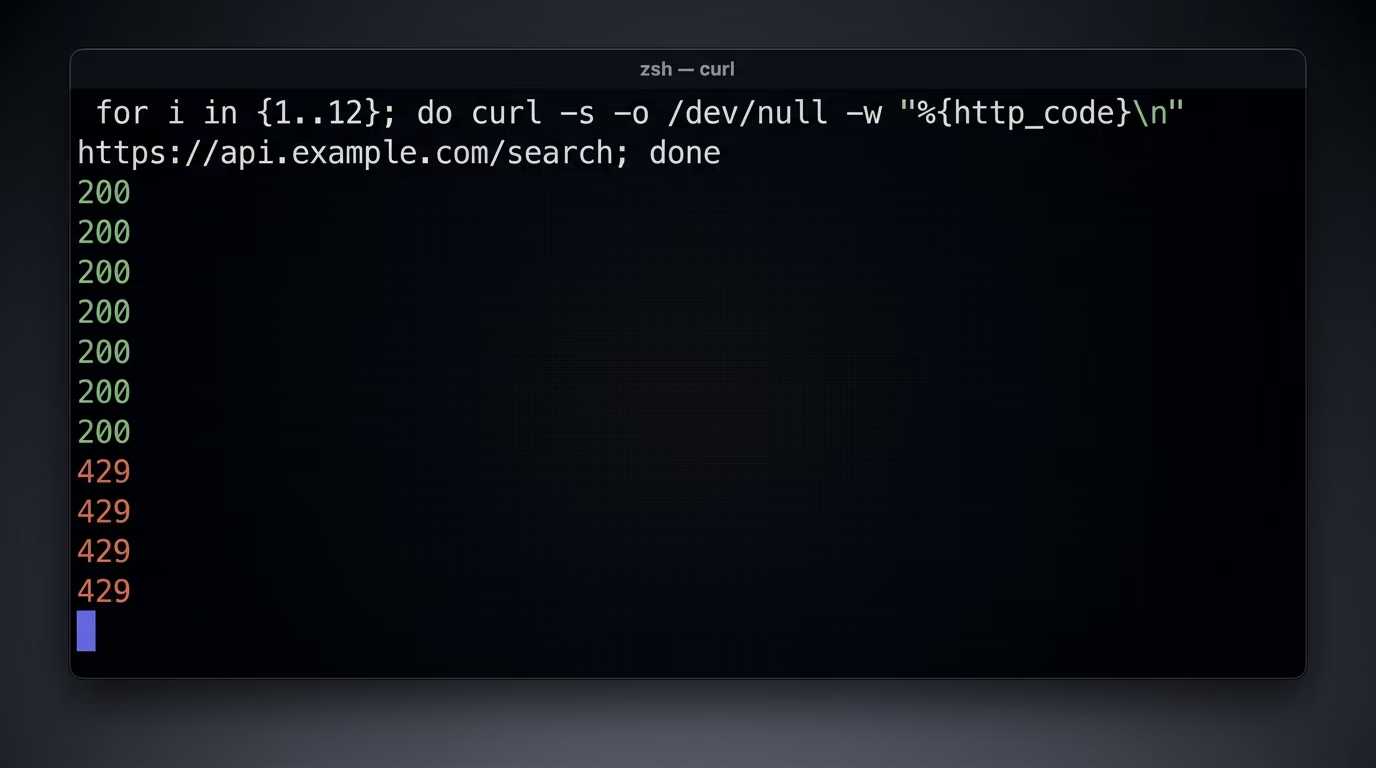
The tricky part is deciding what counts as one client. The three common keys are the IP address, an API key, and a logged-in user id. IP-based limiting is the easiest to add and catches anonymous abuse, but it punishes everyone behind a shared network like an office or a mobile carrier. API-key or user-based limiting is fairer and more precise, because it tracks the actual account making the calls. Most real systems use both: a loose IP limit as a blanket, and a tighter per-key limit for the endpoints that cost money or touch sensitive data.
People sometimes say throttling when they mean rate limiting. The difference is small but real. Rate limiting rejects the excess requests outright, usually with a 429 status. Throttling slows them down instead, by queuing or delaying them so the client stays under the cap without getting an error. The words get mixed up constantly, and plenty of API gateways label the whole feature throttling even when it returns 429s.
Why does your API need rate limiting?
Without a limit, one client can consume everything your server has, and it plays out in three ways. The first is abuse of open endpoints. An open login endpoint invites credential stuffing, where an attacker runs thousands of stolen email and password pairs through it to find accounts that reuse a breached password. An open search or listing endpoint invites scraping, where a competitor or a data broker pulls your entire catalog in minutes. Rate limiting doesn’t stop these completely, but it slows them to a crawl and makes them loud enough to notice. On public forms and signups, pairing the limit with a reCAPTCHA alternative a bot cannot clear at scale blocks the junk submissions before they reach your handler.
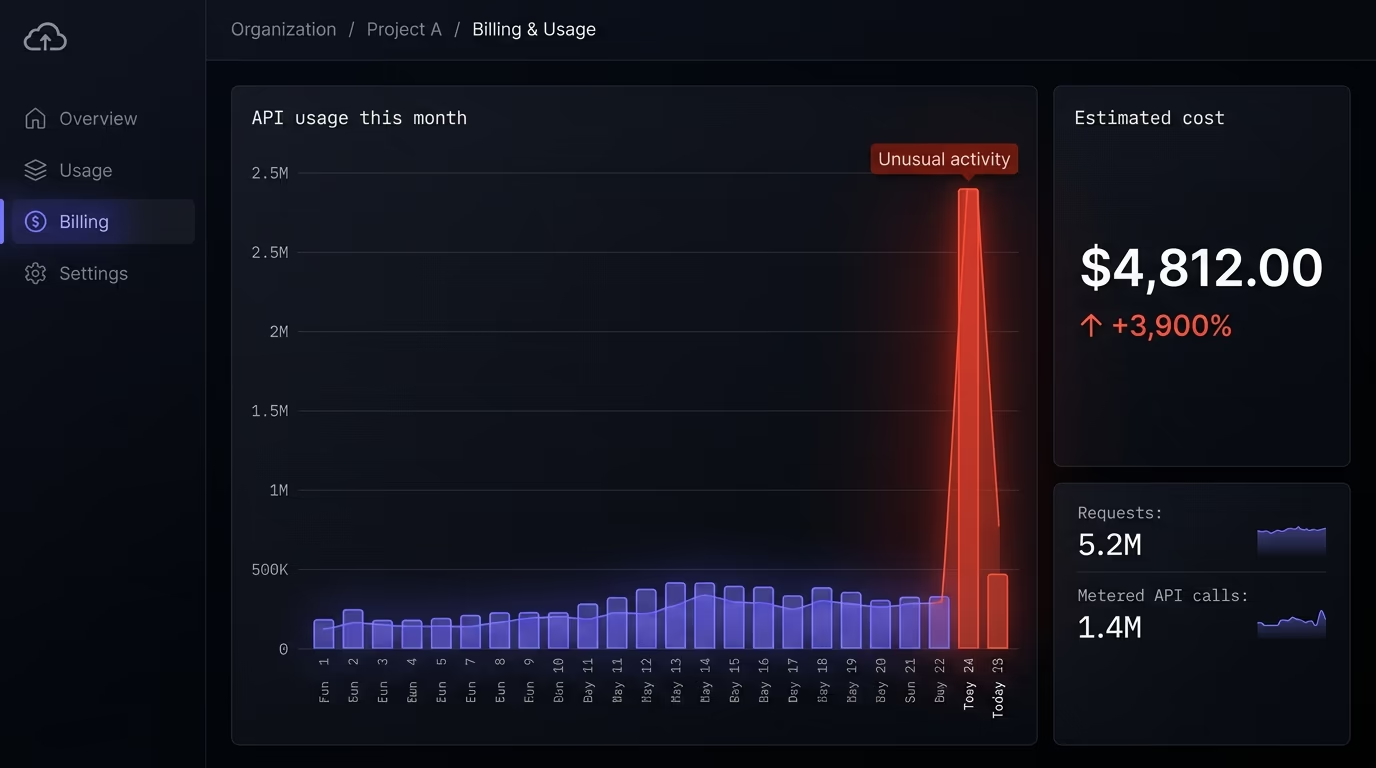
The second is runaway cost, and this one bites hardest on modern apps. If an endpoint proxies a paid API, like an AI model from OpenAI or Anthropic that bills per token, a single abusive client can run your bill into the thousands of dollars overnight. The same goes for anything that triggers an SMS, sends an email, or spins up a compute job. An unlimited endpoint in front of a metered service is a blank check, and the person writing it is whoever finds your URL. Adding a per-key limit turns that blank check into a fixed ceiling.
The third is stability under load, because even honest traffic can knock over an API that has no limit. A buggy client stuck in a retry loop, a marketing campaign that sends everyone to the same page at once, or a mobile app that polls too aggressively can saturate your database connections and take the whole service down for everyone. A rate limit keeps any single source from starving the rest, so one bad actor or one bug degrades their own experience instead of yours. If you want the full picture of what else tends to be missing, our website security checklist walks through it.
Why does AI-generated code skip rate limiting?
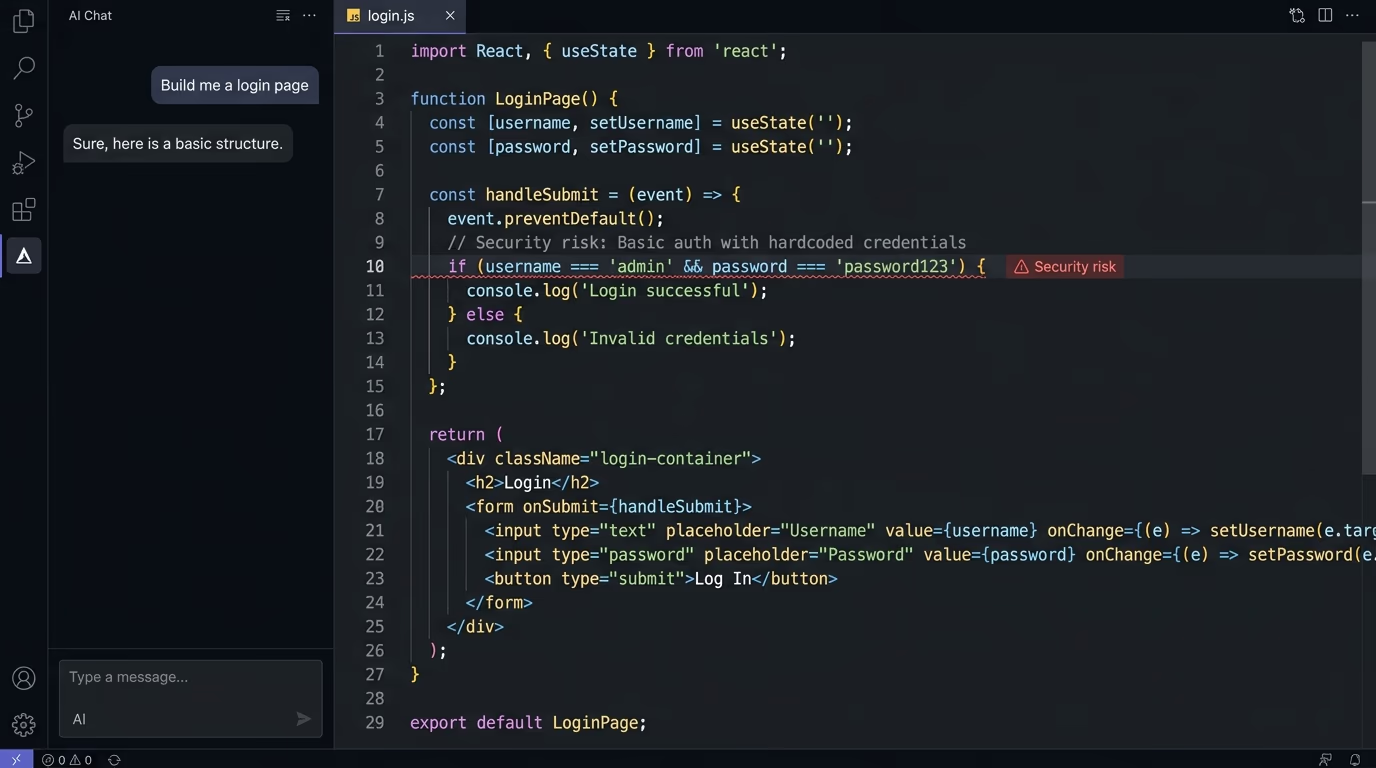
AI coding tools generate the happy path, and rate limiting isn’t on it. When you ask an assistant to build an endpoint that saves a form or returns a list of products, it writes code that does exactly that and nothing more. Rate limiting is a guardrail that sits outside the request logic, so unless you name it in the prompt, it doesn’t appear. The model isn’t wrong, it just answered the question you asked.
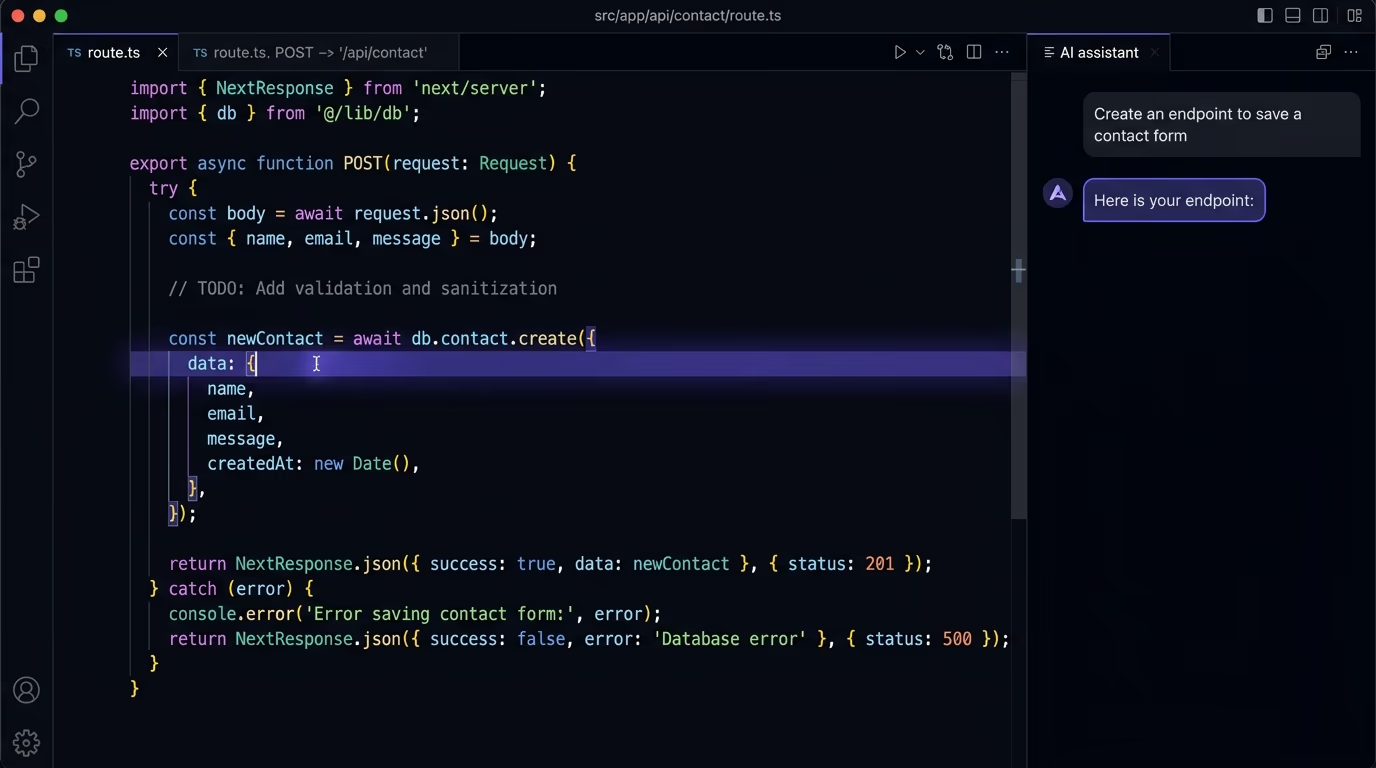
The gap is hard to see because the code looks finished and passes every test you run by hand. You click the button, the request succeeds, and you move on. Nothing prompts you to send the same request 10,000 times, so the missing limit never shows up during development. It only surfaces in production, when a real attacker or a real bug does what you never did in testing. This is the same pattern behind most of the security risks of vibe coding: the defaults are permissive, the generated code inherits them, and the problem is invisible until someone exploits it.
A second reason compounds the first. Rate limiting needs somewhere to store the request counts, and that storage decision depends on your hosting setup in ways an assistant can’t guess. It doesn’t know whether you’re on a single server, on serverless functions, or behind a CDN, so even a well-meaning attempt to add limiting often produces in-memory code that silently fails at scale. Getting it right means understanding your own deployment, which is a judgment call, not a code-generation task.
Which rate limiting algorithm should you use?
Four algorithms cover almost every case, and they trade accuracy against complexity. The fixed window is the simplest: count requests in each clock minute and reset at the top of the next. The problem is the boundary, because a client can send a full batch at 11:59:59 and another full batch at 12:00:00, doubling your intended limit across the seam. The sliding window fixes that by counting requests over the trailing 60 seconds from right now, so there’s no seam to exploit, at the cost of tracking timestamps.
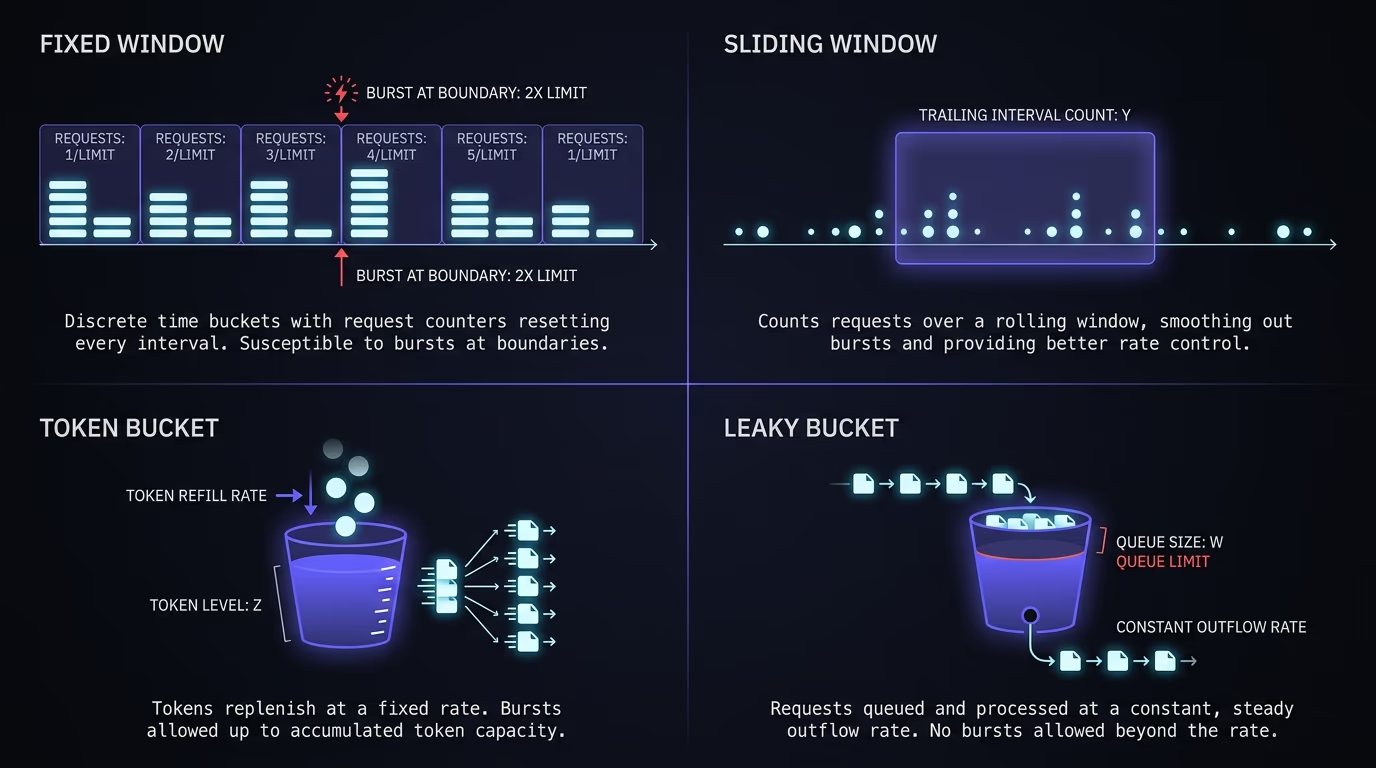
The token bucket and leaky bucket both handle bursts more gracefully by design. The four algorithms line up like this across the tradeoffs that actually matter in production.
| Algorithm | How it works | Watch out for |
|---|---|---|
| Fixed window | Counts requests per clock interval, resets each window | Lets a client double the limit across the window boundary |
| Sliding window | Counts requests over the trailing window from now | Needs to track request timestamps, slightly more work |
| Token bucket | A bucket refills tokens at a steady rate, each request spends one, bursts allowed up to the bucket size | Tuning bucket size and refill rate takes some thought |
| Leaky bucket | Requests queue and drain at a fixed rate, smoothing spikes | Adds latency because requests wait in the queue |
For most apps, a sliding window counter is the right default. It’s accurate, it has no boundary exploit, and every serious rate-limiting library implements it. Reach for token bucket when you genuinely want to allow short bursts, like an API where clients batch calls occasionally but stay under a long-term average. Whatever you pick, use a battle-tested library rather than writing the counter yourself. Getting the edge cases right under real concurrency is harder than it looks, and a subtle bug means your limit doesn’t actually hold.
There’s a catch that only surfaces at scale. If you run more than one server, each one has to agree on the count, or a single client quietly gets your limit multiplied by the number of servers. That’s the reason the count belongs in a shared store instead of each server’s memory, which is the mistake the next two sections keep coming back to.
Where should you enforce API rate limiting?
You can enforce a limit at four layers, and the earlier you catch a bad request, the cheaper it is. At the edge or CDN layer, a service like Cloudflare can block excess requests before they ever reach your server, which is the only place that helps against a large flood. At the API gateway layer, a gateway sits in front of your services and applies limits centrally, which is common in bigger systems. At the application layer, your own code checks the count inside the request handler, which gives you the most control over per-user and per-endpoint rules. At the database layer, you’d be rejecting work only after it’s already reached your most expensive resource, so that’s a last resort, not a plan.
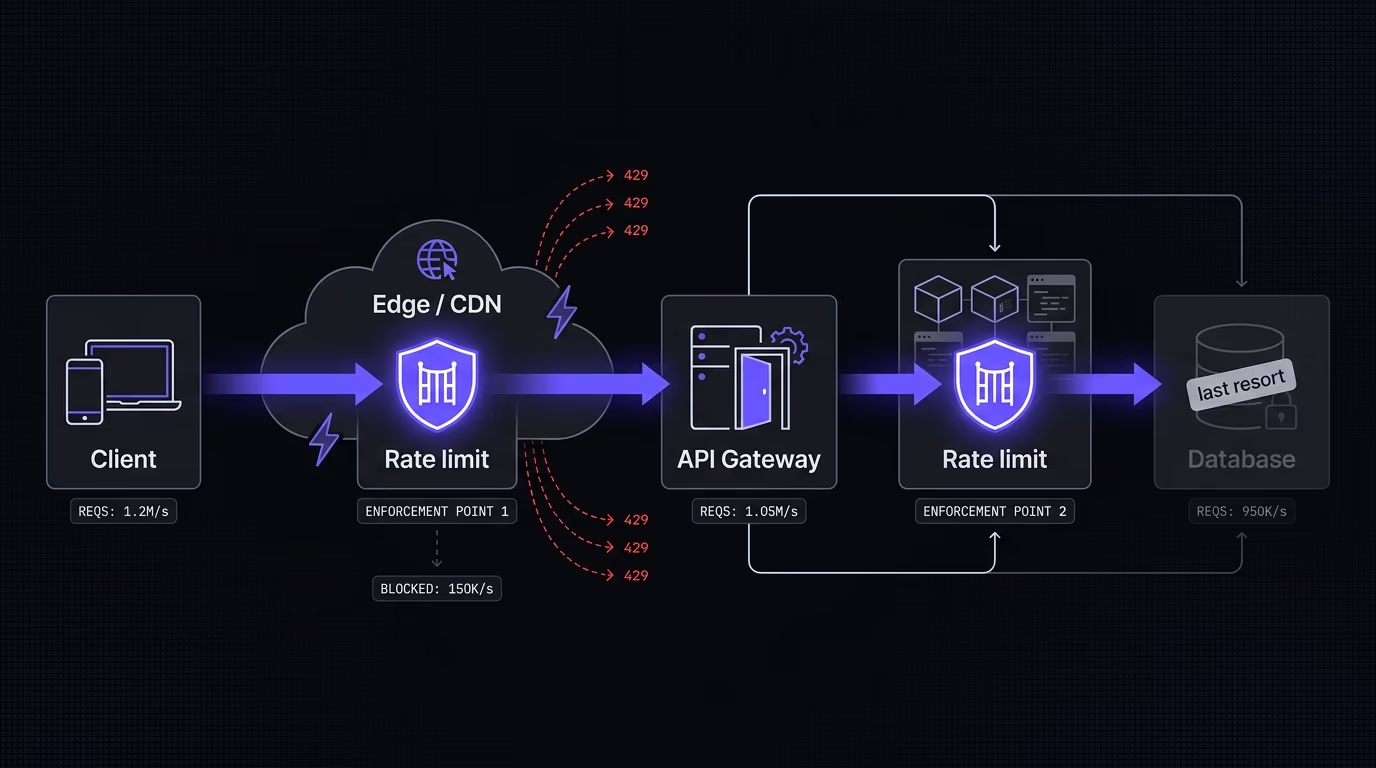
For a small team, the practical answer is two layers. Put a broad limit at the edge for cheap blanket protection against floods and dumb bots, then put precise per-key and per-user limits in your application code for the business rules the edge can’t know about. The edge doesn’t know that your free plan gets 100 API calls a day and your paid plan gets 10,000, but your app does. A gateway is worth adding once you have several services that all need the same limits enforced the same way, because it saves you from copying the logic into every one. Until then, edge plus application code covers you.
The choice comes down to what each layer can see. An edge limit keyed by IP is coarse but cheap, and it’s your only real defense against a flood because it runs before the request costs you anything. An application limit keyed by account is precise but late, since the request has already reached your code by the time the check runs. You want both for the same reason you lock the front gate and the front door, since each one stops a threat the other lets through.
How do you add rate limiting to your app?
The cleanest way to add rate limiting is a library that keeps the count in a shared store. On Node and Express, express-rate-limit handles the middleware and can back its counter with Redis. On Next.js, Cloudflare Workers, or any serverless setup, @upstash/ratelimit paired with Redis or Cloudflare KV works because the count lives outside your function. Here’s the serverless pattern with Upstash:
import { Ratelimit } from "@upstash/ratelimit";
import { Redis } from "@upstash/redis";

const ratelimit = new Ratelimit({
  redis: Redis.fromEnv(),
  limiter: Ratelimit.slidingWindow(10, "10 s"),
});

export async function POST(request) {
  const ip = request.headers.get("x-forwarded-for") ?? "anonymous";
  const { success } = await ratelimit.limit(ip);
  if (!success) {
    return new Response("Too many requests", { status: 429 });
  }
  // handle the request normally
}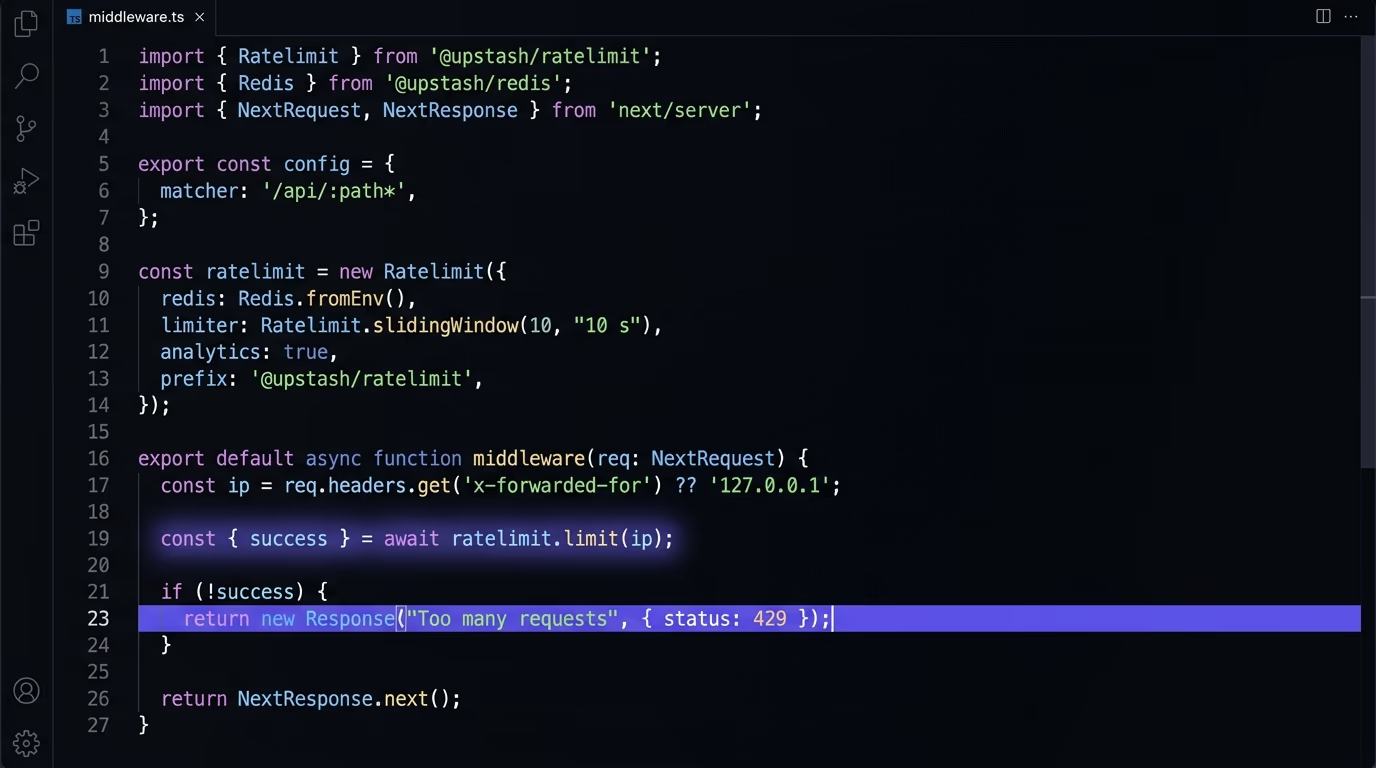
The line that trips people up is the shared store. On serverless platforms, every request can run in a fresh instance with its own memory, so a counter held in a plain variable resets constantly and blocks nothing. The count has to live somewhere every instance can read and write, which is why the example uses Redis rather than an in-memory map. This is the exact mistake AI-generated rate limiting tends to make, because the model can’t see that you deployed to Vercel.
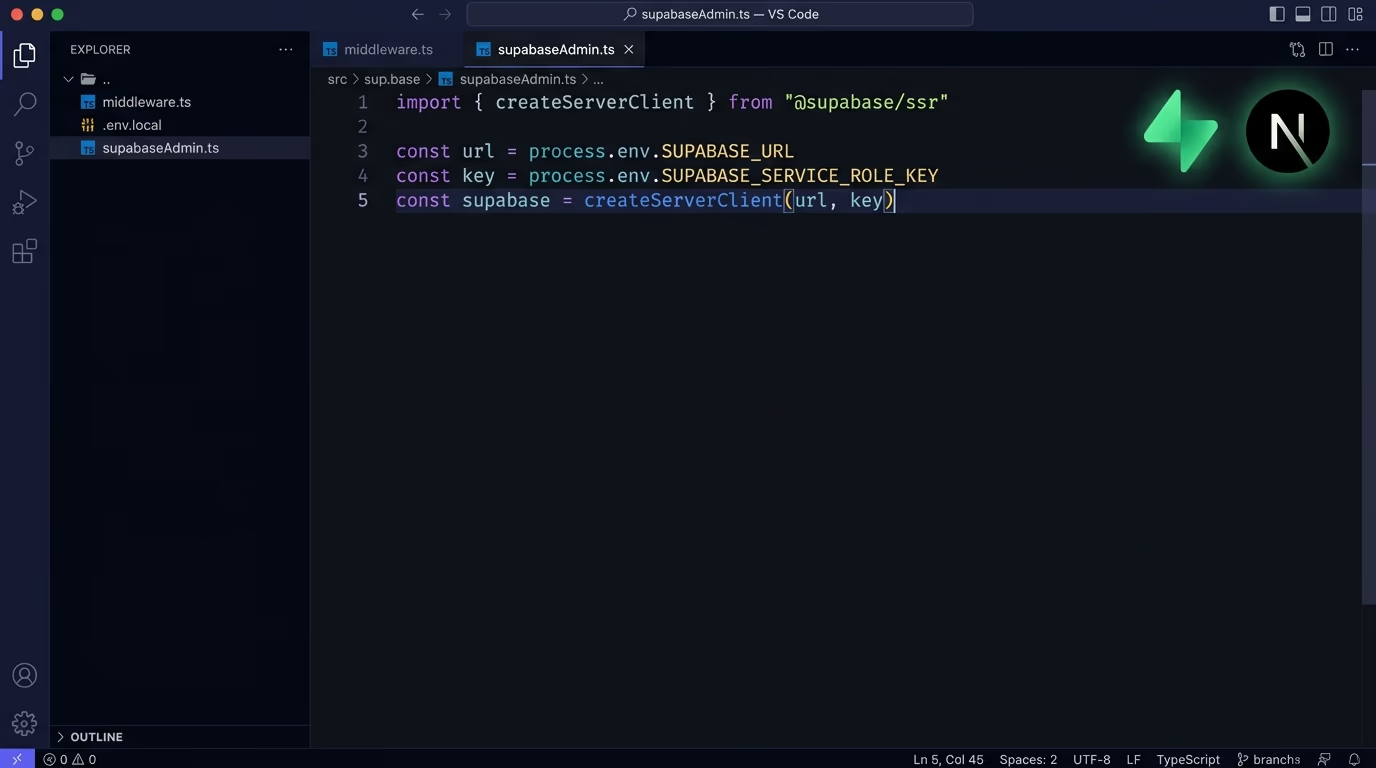
Choose your rate-limit key with care, because it decides who ends up sharing a bucket. Rate limit anonymous traffic by IP, and rate limit authenticated traffic by user id or API key, since a logged-in abuser can rotate through IPs but not through account ids as easily. For endpoints that cost money or accept credentials, apply the tightest limits and keep those keys, like the ones covered in how to store API keys securely, well out of reach. If you’re on a specific stack, our guide to securing a Next.js and Supabase app shows where the limits fit alongside the other defaults you need to change.
Set the limit per endpoint rather than once for the whole app. A read that hits a cache can take a far higher rate than a write that touches the database or a route that sends an email, so a single global number is either too loose for the expensive routes or too tight for the cheap ones. Every serious library lets you define more than one limiter and apply the right one per route, so use that instead of guessing at one figure that fits nothing.
Decide what happens when the store itself is unreachable. If Redis times out, your limiter has to choose between failing open, meaning it allows the request, and failing closed, meaning it rejects it. For most public endpoints, fail open, because a brief store blip shouldn’t take your whole site down over a rate check. For the routes that spend real money or accept a password, fail closed, so an outage in the counter can’t be used to slip past the limit. Whichever you choose, log it, because a limiter that silently fails open is the same as having no limiter at all.
What should a rate-limited response return?
A rate-limited response should return the 429 Too Many Requests status code, defined in RFC 6585, along with a Retry-After header. The status tells the client it was blocked for sending too many requests, and Retry-After tells it how long to wait, either as a number of seconds or an HTTP date. A well-behaved client reads that header and backs off instead of hammering you harder.
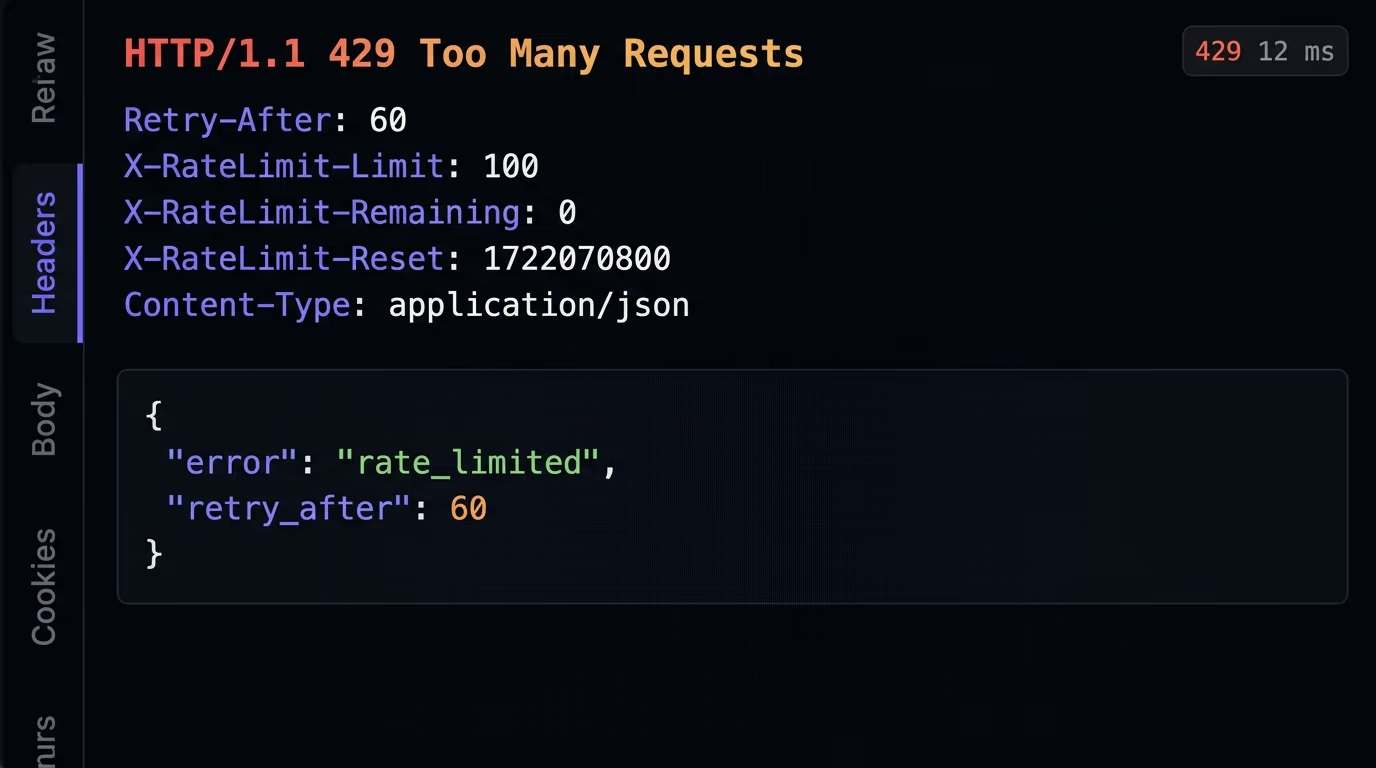
Beyond the status, it helps to tell clients where they stand before they hit the wall. The de-facto standard for that is a set of headers most APIs recognize: X-RateLimit-Limit for the ceiling, X-RateLimit-Remaining for how many requests are left in the window, and X-RateLimit-Reset for when the window resets. There’s an IETF effort to standardize this under the names RateLimit and RateLimit-Policy, but it’s still a working-group draft rather than a finished RFC as of 2026, so the X- prefixed headers remain what you’ll see in the wild. Sending them is optional, but it turns a frustrating black box into an API clients can build against.
Log every 429 and watch the shape of it. A slow trickle is your limiter doing its job on the occasional heavy user. A sudden wall of 429s from one key or one IP range is either an attack in progress or a limit set too tight for a legitimate integration, and you want to know which within minutes, not next week. Wire an alert on sustained 429 volume so a real attack, or a limit you set wrong, surfaces on its own instead of arriving as a support ticket.
The mistake to avoid is failing quietly. AI-generated code that does attempt a limit sometimes returns a plain 200 with an empty body, or throws a generic 500. Both are worse than useless, because the client can’t tell it was rate limited and keeps retrying at full speed, which defeats the entire point. If you block a request, say so with a 429, and say when to come back. The same honesty applies to abused login endpoints, where a clear limit is one of the defenses against the token theft described in our guide to session hijacking.
Ship rate limiting before you launch
Rate limiting is one of those things that costs an afternoon to add and a fortune to skip. The pattern is always the same: pick a limit per endpoint, key it by IP for anonymous traffic and by account for logged-in users, store the count in Redis or KV so it survives across instances, and return a 429 with a Retry-After header when someone goes over. Start strict on anything that costs money or accepts a password, watch your real traffic, and loosen the limits that block honest users.
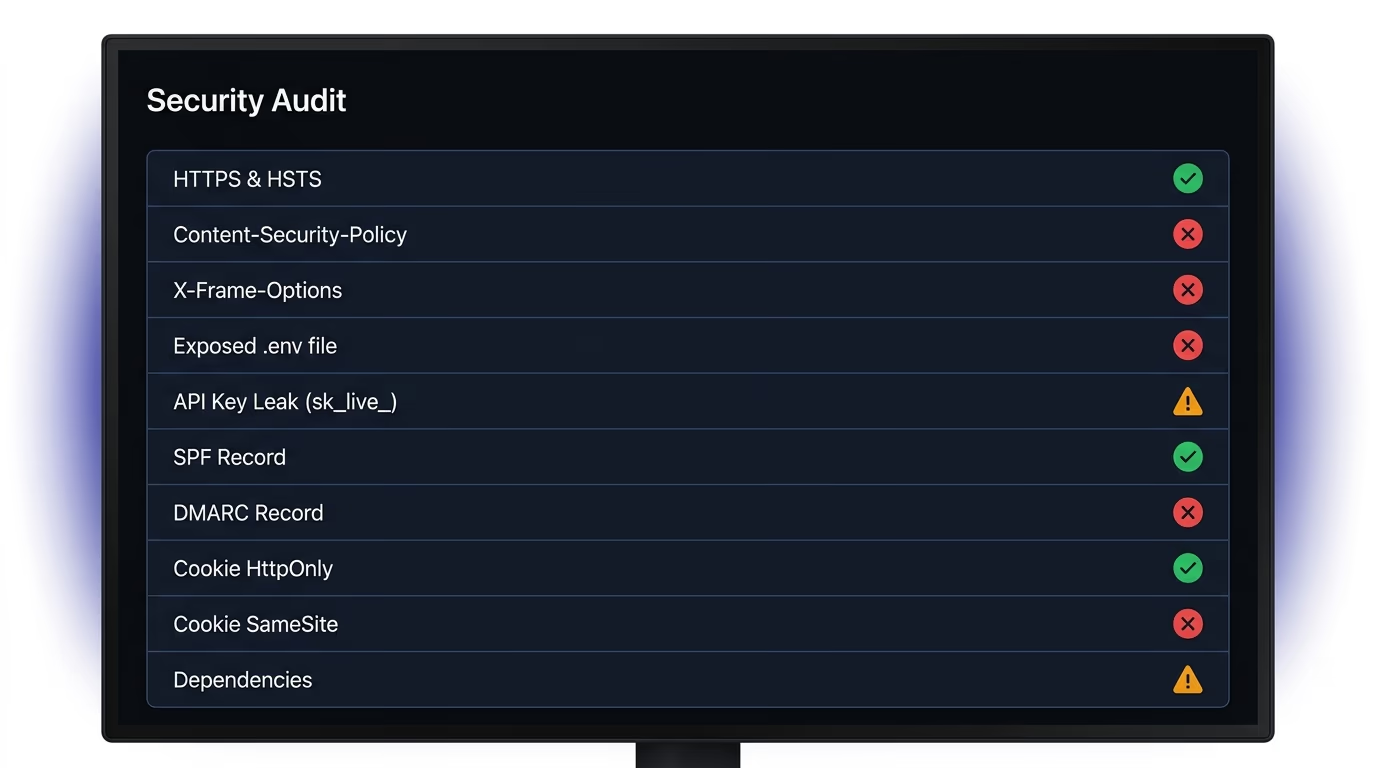
A scanner can’t add rate limiting for you, because that logic lives in your code and depends on your hosting. But the same AI-built apps that ship without a rate limit tend to ship with other doors left open: leaked API keys committed to a repo, exposed .env files, missing security headers, and databases with row-level security switched off. Amabrik’s security scan crawls your live site and flags those in plain English, and hands you a copy-paste fix prompt for each one you can drop into Claude, ChatGPT, or Cursor. Add the rate limit yourself, then run the scan to catch everything else your AI assistant forgot to lock down.
API rate limiting is a cap on how many requests one client can send to your API in a set window of time. If a client sends more than the limit, the server rejects the extra requests with an HTTP 429 status instead of processing them. The point is to stop a single user, bot, or script from overwhelming your server, running up your bill, or brute-forcing a login while normal traffic keeps flowing.
There's no single number, because a healthy limit depends on the endpoint. Read endpoints that hit a cache can allow hundreds of requests per minute per client without strain, while a login endpoint should be much tighter, often around five to ten attempts per minute per IP to slow down credential stuffing. Expensive endpoints that call a paid API or run a heavy query need the strictest limits. Start conservative, watch your real traffic for a week, then loosen the limits that block legitimate users.
Rate limiting rejects requests once a client passes a hard cap, usually by returning a 429 status. Throttling slows requests down instead of rejecting them, by queuing or delaying them so the client stays under the limit without seeing an error. In practice the two words get used interchangeably, and many API gateways call the whole feature throttling even when it returns 429s. The distinction that matters is whether excess requests are dropped or delayed.
429 Too Many Requests, defined in RFC 6585. Send it along with a Retry-After header telling the client how many seconds to wait before trying again. Returning a plain 200 or a generic 500 is a common mistake in AI-generated code, because the client has no way to know it was rate limited and will keep hammering the endpoint.
It helps against application-layer abuse like credential stuffing, scraping, and a single buggy client in a loop, but it doesn't stop a large volumetric DDoS attack on its own. A flood of traffic from thousands of IPs can exhaust your bandwidth or connection pool before your rate limiter even runs. For that you need protection at the edge or CDN layer, such as Cloudflare, which absorbs the flood before it reaches your server.
Use a shared store, not in-memory counters. On serverless platforms like Vercel or Cloudflare Workers, every request can run in a separate instance, so a counter kept in memory resets constantly and enforces nothing. Keep the counter in a shared store such as Redis or Cloudflare KV. Libraries like @upstash/ratelimit are built for this and work across every instance because the count lives in one place.